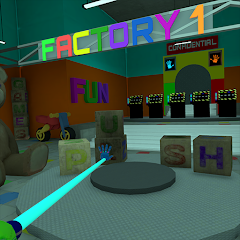
Explore exciting online games including racing, action and puzzle games.
Kynor Games is a simple and fast online gaming platform where players can enjoy a large collection of free browser games without downloads. Modern web games are designed to work directly in your browser, which means you can start playing within seconds. Whether you enjoy action adventures, puzzle challenges or racing competitions, Kynor Games offers a fun place to explore new titles and relax with entertaining gameplay.
Online gaming has changed a lot over the years. In the past, players needed to install large files or purchase expensive games. Today, browser technology allows people to play high quality games instantly. Kynor Games focuses on providing easy access to these games so players can enjoy them anytime.
One of the biggest advantages of browser games is convenience. You do not need to install software or worry about storage space. Simply open the website, choose a game and start playing. This makes browser gaming perfect for quick entertainment during breaks or when you want something fun without complicated setup.
Another reason browser games are popular is accessibility. Most modern devices can run them smoothly, including laptops, tablets and smartphones. This allows players to enjoy gaming wherever they are.
Kynor Games features many different game genres so every player can find something interesting.
Adventure games take players on exciting journeys where they complete missions, solve problems and explore creative environments. These games often include story driven gameplay and engaging challenges.
Action games are all about quick reactions and thrilling gameplay. Players face obstacles, enemies or timed challenges that keep the experience exciting and fast paced.
Racing games allow players to compete on different tracks using cars, bikes or other vehicles. Speed, control and strategy are important for winning races and unlocking new levels.
Puzzle games focus on thinking skills and creativity. These games challenge players to solve problems, match objects or find clever solutions to advance through levels.
Kynor Games allows players to enjoy games instantly because everything runs directly inside the browser. There is no need to install programs or worry about updates. This makes the gaming experience faster and easier.
Instant gameplay is especially useful for casual gamers who simply want to enjoy a few minutes of fun without setting up complex software.
Another important feature of Kynor Games is device compatibility. The platform is designed to work on different screen sizes and devices. Whether you are using a desktop computer at home or a smartphone while traveling, you can still enjoy your favorite games.
Responsive design ensures that games load properly and controls remain comfortable on every device.
The gaming world constantly introduces new ideas and creative gameplay experiences. Kynor Games regularly updates its collection so players can discover new titles and enjoy fresh challenges.
Returning visitors will often find new games added to the platform, making every visit interesting.
A good gaming website should be simple and easy to use. Kynor Games focuses on clear navigation so players can quickly find popular games, trending titles or new releases.
Fast loading pages also improve the overall experience. Nobody likes waiting for a game to load, so the platform is designed to keep things quick and responsive.
Technology continues to improve the quality of browser games. Modern web engines allow developers to create better graphics, smoother animations and more complex gameplay directly in browsers.
This means browser gaming will continue to grow and attract more players around the world.
If you are looking for a simple way to enjoy free online games, Kynor Games is a great place to start. With a growing collection of entertaining games and easy access from any device, players can quickly find something fun to play.
Explore the available games, challenge yourself with new levels and enjoy instant entertainment whenever you want.